Creating Scroll Stopping Images In-Camera
$19.00
>This course is included in the VP Box<
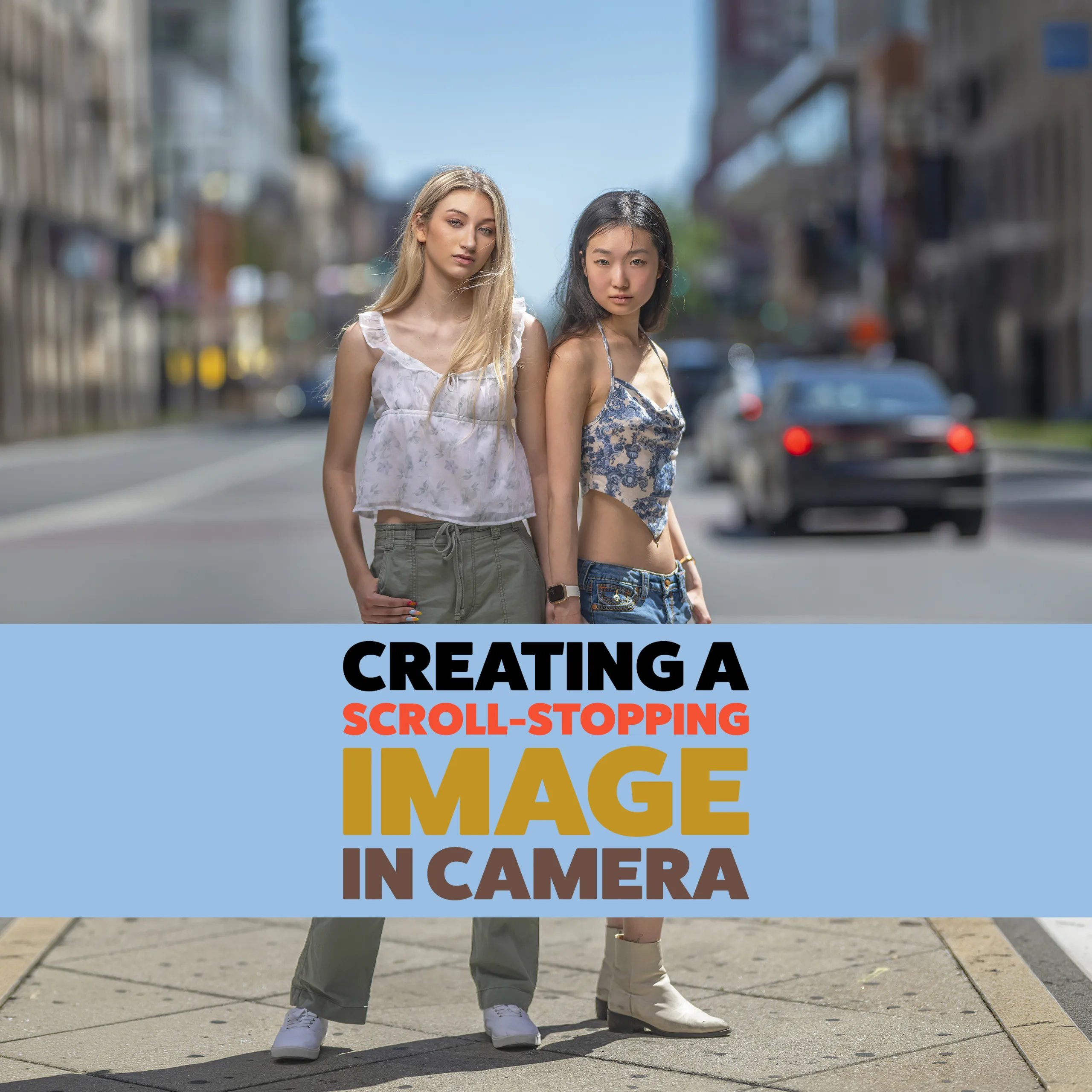
Creating a Scroll-Stopping Image takes you behind the scenes of one image that had photographers questioning everything from the lighting to the exposure to whether the image was even real.
After I posted this photograph, the comments started rolling in. Some people thought it was masked. Some thought it looked composited. Some questioned how both subjects could be in focus at f/1.2. Others questioned the 1/8000 shutter speed, the flash, the shadows, and why the subjects appeared so separated from the background.
So I decided to break the entire image down.
In this 38-minute course, I walk through exactly how the image was created in camera. You’ll see the final image, the actual location, the ground-level BTS footage, the aerial BTS perspective, the lighting setup, the camera settings, the RAW file, and the full edit from start to finish.
This course is not about creating a fake-looking image. It is about understanding how lens choice, aperture, flash, ambient light, subject placement, and exposure all work together to create an image that makes people stop, look, and question what they are seeing.
I also address the main things photographers pushed back on, including why I shot at 1/8000, how two subjects were photographed at f/1.2, why the image looked masked to some viewers, and how flash can be used in a way that does not fall cleanly into “natural light” or “obviously flashed.”
The location itself was ordinary. The image came from the decisions made inside that location.
If you’ve ever wanted to understand how to create stronger separation, balance flash with ambient light, preserve the scene, and build an image in camera that stands out in a crowded feed, this course walks you through the full process behind this one photograph.
Included in this course:
• Final image breakdown
• Real comments and misconceptions addressed
• Ground-level BTS footage
• Aerial BTS perspective
• Location breakdown
• Lighting setup and flash placement
• Exposure and camera settings discussion
• RAW file review
• Complete edit from start to finish
Length: 38 minutes
Software used. - ACR ( Adobe Camera RAW....Lightroom equivalent ) + Photoshop