Simple Frame Big Results
Original price was: $29.00.$10.00Current price is: $10.00.
Simple Frame, Big Results
Sometimes the images that look the simplest are the ones built on a series of very intentional decisions.
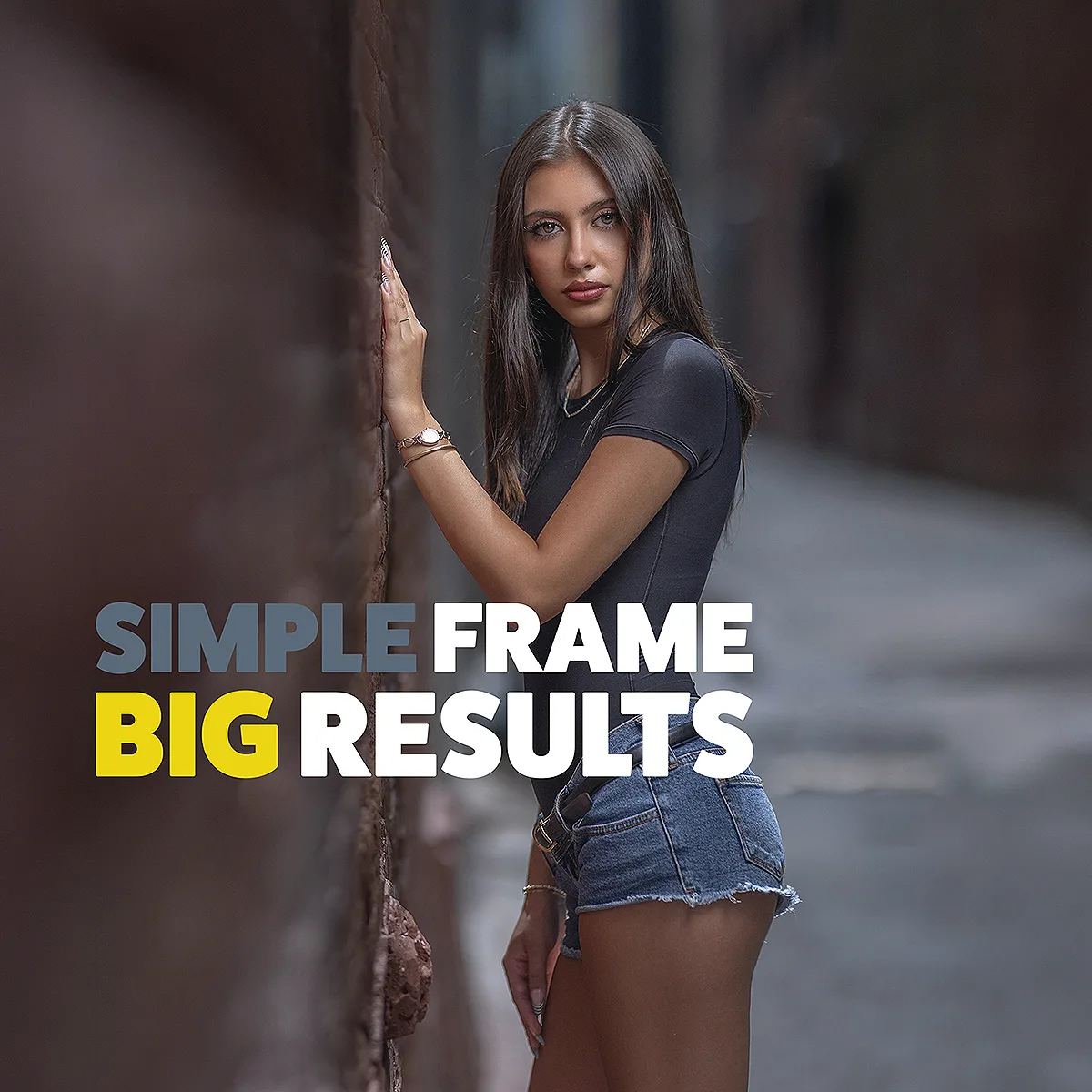
In Simple Frame, Big Results, I break down the creation of an image that has consistently been one of my most popular photographs wherever I have shared it.
This image was captured during one of my Light Exposed Workshops, and the location itself was nothing elaborate. It was a bright alley, a brick wall, one light, and a very simple pose. But what you see in the final image looks completely different from what was actually happening around me.
Using behind-the-scenes video footage from the workshop, you’ll see some of my students in the exact position I instructed them to be in to capture this look. I show you how something as simple as camera position completely changed the way this location photographed, and why being just a little bit off would have created a completely different image.
I also break down why I chose to render the ambient light much darker than it actually appeared, how I positioned my flash to shape the subject without creating an obvious “flash look,” and how I used the foreground to create depth and lead your eye directly toward my subject.
You’ll see how a series of small decisions involving camera position, composition, exposure, and lighting took a very ordinary location and created a much bigger visual result.
Then I take you into post-production and show you the edit from RAW to the finished image.
In this class, you will learn:
- How camera position can completely change the way an ordinary location photographs
- How I positioned my workshop students to create this look themselves
- How to use foreground elements to create depth and lead attention toward your subject
- How to intentionally darken ambient light to completely change the look and feel of a scene
- How to position flash so your subject stands out without the lighting looking overly artificial
- How small decisions in composition, exposure, and lighting can create a much bigger visual result
- How I take the image from RAW to the final edited photograph
Runtime: 27 minutes
Software used: ACR/Photoshop
This course is included in the VP Box.